
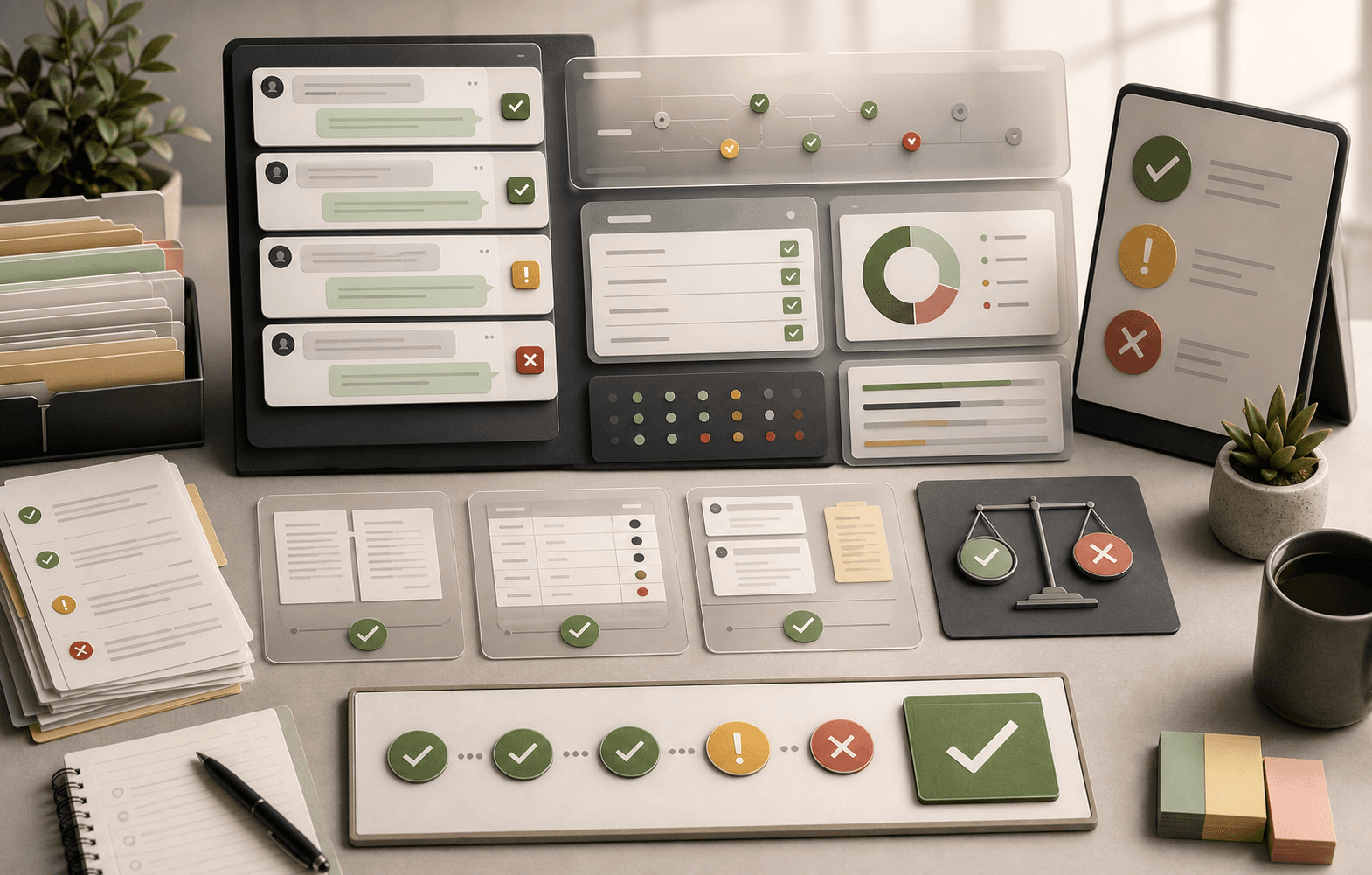
AI agent testing
AI Agent Testing for Customer Support: Pre-Launch Readiness Checklist
A support-specific AI agent testing checklist for policy coverage, source citations, stale answers, escalation rules, and launch go/no-go decisions.
Support Readiness Lead, Meihaku · April 29, 2026
Most AI agent testing advice is written for engineers testing tool calls, latency, or model behavior. Support leaders need a different test: can this AI answer customers without creating policy, trust, or escalation risk?
A passing support AI test is a correct, sourced, policy-safe resolution that knows when to stop and hand off, not just a clever-sounding reply. The practical question is simple: what has to be true before this support AI can answer customers?
This checklist is written for support operations, CX leaders, and knowledge owners preparing to launch AI agents in Intercom Fin, Zendesk AI, Gorgias AI, Salesforce Agentforce, Decagon, Sierra, or a custom support stack.
What this helps decide
Turn AI Agent Testing for Customer Support into launch scope.
Use this guide to decide which customer intents are approved for AI, which need restrictions, which need source cleanup, and which should stay human-owned.
Evidence used
Sources, policies, and support artifacts
- Intercom: Batch Test for Fin AI Agent
- Zendesk: Best practices for preparing your help center for generative AI
- OWASP Top 10 for Large Language Model Applications
Review output
Approve, restrict, block, or hand off
- Before testing
- During testing
- Launch decision
How this guide was built
3 public references, 8 review areas
- What AI agent testing means in customer support
- Build the test set from historical tickets
- Map each test to source evidence
What AI agent testing means in customer support
AI agent testing in customer support means validating whether an AI support agent can handle customer intents accurately, with source evidence, correct policy handling, and safe escalation before reaching customers. This is a different bar than a generic LLM evaluation.
If the internal question is how to test AI support agent before launch, start here: run live support intents from your queue, grade the answers against approved sources, and decide which topics the AI can safely own. AI chatbot testing often focuses on conversation flow; AI agent testing must also prove policy safety, source grounding, and escalation behavior.
A model benchmark might ask whether an answer is fluent, coherent, or close to a reference answer. A support readiness test asks whether the answer is allowed, current, cited, complete, and safe for the customer in front of you. A beautiful answer that invents a refund exception is a failed support answer.
The unit of testing should be the customer intent, not a prompt. A prompt is one phrasing. An intent is the support job underneath many phrasings: cancel my subscription, explain this charge, reset my account, check a shipping delay, request a refund, recover access, delete my data, or ask for a human.
- Test customer intents, not demo prompts.
- Grade for correctness and policy safety, not fluency alone.
- Treat escalation as a passing behavior when the topic is unsafe.
- Use recent tickets so the test reflects what customers actually ask.
Build the test set from historical tickets
The strongest AI agent testing set starts with the questions customers already ask. Export recent tickets, chats, and macros from the last 60 to 90 days. Group them into the top support intents, then add the high-risk intents that may not be high-volume but can create financial, legal, or trust damage if answered incorrectly.
Do not polish the language before testing. Customers do not write test prompts. They write incomplete, emotional, ambiguous messages. Keep the messy wording, missing context, typos, and multi-intent messages. If the AI only passes on clean internal examples, it will fail in the inbox.
A practical first set is 100 to 250 questions across the top 25 to 50 intents. That is enough to reveal source gaps, stale policies, and weak handoff rules without turning the first launch review into a research project.
- Use recent tickets instead of synthetic samples.
- Include billing, refund, cancellation, security, and account recovery.
- Preserve messy customer phrasing.
- Include both high-volume and high-risk intents.
Map each test to source evidence
Every test question should map to a source of truth before the AI answer is graded. That source may be a help-center article, macro, SOP, policy document, knowledge base entry, pricing page, or approved answer. If the team cannot identify the source, the AI should not be cleared to answer the intent.
This is where many teams discover the actual blocker. The AI agent may be capable, but the support operation is not. A refund rule may exist in three places. A macro may be newer than the public article. A senior agent may know the current exception process, but the knowledge base does not.
Testing without source evidence turns reviewers into judges of plausibility. Testing with source evidence turns the review into an operational decision: ready, restricted, or blocked.
- Attach the canonical source for each intent.
- Record source freshness and owner.
- Mark intents with conflicting sources as blocked.
- Keep conditions close to the approved answer.
Use an AI agent testing framework
A useful AI agent testing framework should be simple enough for support teams to use every week. The framework below works because it separates answer quality from launch permission. Some answers are correct and safe. Some are correct but need human approval. Some are fluent but unsafe.
Grade every answer across seven checks: accuracy, grounding, policy fit, completeness, escalation, tone, and resolution. Then assign a launch decision. The goal is to define the boundary the AI can defend, not to force it to answer everything.
This framework also helps compare AI agent testing tools. A tool that only reports latency, token cost, or pass rate is not enough for support. You need evidence visibility, source traceability, reviewer notes, failed-intent grouping, and launch-state decisions by intent.
- Accuracy: the answer is factually correct.
- Grounding: the answer cites the right source.
- Policy fit: the answer follows the current rule.
- Completeness: the answer includes conditions and exclusions.
- Escalation: the AI hands off when the topic is unsafe.
- Tone: the response fits the customer situation.
- Resolution: the customer should not need to re-contact support.
What to expect from AI agent testing tools
AI agent testing tools can speed up review, but they should not replace support judgment. The useful tools run batches of historical questions, preserve the sources used by the AI, let reviewers grade answers, and show which intents are ready, restricted, or blocked.
Be careful with tools that optimize for a single pass rate. A high pass rate can hide the wrong thing if the test set contains mostly easy questions. A support-specific test should overweight high-risk topics, stale-policy traps, and escalation failures. One wrong answer about eligibility, billing, or security can matter more than 100 correct password-reset answers.
For Meihaku, the testing output should become a launch map. The team should see which intents are approved, which need source cleanup, which have policy conflicts, and which must remain human-only until escalation and governance are stronger.
- Batch test against historical tickets.
- Show which source was used for each answer.
- Support reviewer scoring and notes.
- Group failures by missing source, stale source, contradiction, or escalation.
- Export approved intents for downstream AI agents.
Test the failure modes support teams actually face
Support AI agents rarely fail in a dramatic way during demos. They fail quietly: a slightly wrong refund window, an old cancellation rule, an answer that skips a condition, a source citation that points to the wrong article, or an escalation loop that makes the customer repeat everything to a human.
Your test set should deliberately include stale-policy traps, conflicting macros, ambiguous customer language, frustrated customers, VIP customers, regulated topics, prompt injection attempts, and requests for exceptions the AI is not allowed to grant.
This is also where vendor-specific testing matters. Intercom Fin, Zendesk AI, Gorgias AI, and custom agents each have different controls, but the readiness question is the same: can this setup answer the customer with current evidence and stop when evidence runs out?
- Contradictory refund policy across help center and macro.
- Customer asks for a human more than once.
- Customer asks for an exception the policy does not allow.
- Customer provides incomplete account or order context.
- Customer tries to override system instructions.
- Customer has a high-value or regulated account.
Turn results into pass, restrict, and block decisions
The output of AI agent testing should not be a single green light. It should be a launch map. Some intents are safe to automate. Some are safe only for a small pilot. Some need human approval. Some should stay blocked until the knowledge base, policy, or escalation path is fixed.
Use three decisions. Pass means the AI can answer this intent within the approved scope. Restrict means the AI can answer only under clear conditions, such as low-risk plan tiers or read-only guidance. Block means the AI must hand off or refuse to answer until the readiness gap is resolved.
This lets a support team ship useful automation without pretending the whole support operation is ready. AI can handle the cleared intents while the team cleans up the blockers that would otherwise become wrong answers.
- Pass: source-backed, policy-safe, low-risk.
- Restrict: safe only under defined conditions.
- Block: missing source, conflict, high-risk, or unclear escalation.
- Retest after major product, pricing, policy, or vendor changes.
Measure after launch with support QA metrics
Pre-launch testing does not end AI customer support QA. Once the agent is live, track verified resolution, wrong-answer rate, 48-hour or 72-hour re-contact, AI-only CSAT, escalation success, and human override rate. Deflection alone hides too much.
A customer who gives up can look deflected. A customer who receives a plausible but wrong answer may not complain immediately. Re-contact and wrong-answer review reveal whether the AI resolved the issue or just moved the cost somewhere else.
The best post-launch rhythm is weekly. Review failed intents, new policy changes, stale sources, and escalation misses. Update the approved answer set. Retest the affected intents. Treat the AI agent like a production support channel, not a one-time software install.
- Verified resolution rate
- Wrong-answer rate
- 48-hour or 72-hour re-contact rate
- AI-only CSAT
- Escalation success rate
- Human override rate
Checklist
Use this as the working review before launch.
Before testing
- Export recent support tickets by top contact reason.
- Identify the top 25-50 customer intents.
- Attach the current source of truth for each intent.
- Mark high-risk topics before prompts are written.
- Include messy customer phrasing and missing context.
- Add edge cases for refunds, billing, security, and account recovery.
During testing
- Run real customer phrasing, not polished internal examples.
- Grade each answer against a written support QA rubric.
- Record the source used by the AI for each answer.
- Separate retrieval failures from policy and escalation failures.
- Flag invented exceptions, hybrid policies, and unsupported claims.
- Require human review for every high-risk failure.
Launch decision
- Approve the intents the AI can answer.
- Restrict intents that need conditions or limited scope.
- Block missing-source and conflict-heavy intents.
- Configure escalation triggers and handoff context.
- Run a limited rollout before broad exposure.
- Retest after major source, policy, or vendor changes.
After launch
- Review failed intents weekly.
- Track wrong-answer rate, not just deflection.
- Track 48-hour or 72-hour re-contact.
- Sample AI-only conversations with a QA rubric.
- Update the golden answer set when policies change.
- Keep high-risk topics blocked until source evidence is clean.
How Meihaku helps
Turn the checklist into a launch audit.
Meihaku reads your sources, maps them to customer intents, drafts cited answers, and shows which topics are cleared for AI, blocked, source-fix needed, or human-only.
Related guides
Keep clearing answers before launch.
These pages connect testing, knowledge-base cleanup, and readiness scoring into one pre-launch workflow.
Intercom Fin readiness
Intercom Fin Readiness Audit
Audit your Intercom Fin rollout before customers see it. See which intents are cleared for Fin, which need source cleanup, and which should stay human-only.
Vendor pageZendesk AI readiness
Zendesk AI Readiness Audit
Audit Zendesk Guide, macros, ticket history, and policy documents before Zendesk AI answers customers.
Vendor pageSalesforce AI readiness
Salesforce Service Cloud AI readiness audit
Use this readiness workflow to check whether Salesforce Knowledge, Service Cloud cases, Agentforce actions, and support policies are safe for customer-facing AI.
Vendor pageFreshdesk AI readiness
Freshdesk Freddy AI readiness audit
Use this readiness workflow to check whether Freshdesk solution articles, ticket patterns, Freddy AI Agent knowledge sources, and workflows can safely support AI answers.
Vendor pageHubSpot Customer Agent readiness
HubSpot Customer Agent readiness audit
Use this readiness workflow to check whether HubSpot content, public URLs, tickets, and Service Hub knowledge are ready to ground Breeze-powered customer agent answers.
Vendor pageKustomer AI readiness
Kustomer AI readiness audit
Use this readiness workflow to check whether Kustomer knowledge, CRM context, customer history, and AI Agent workflows can safely support autonomous CX answers.
Vendor pageGorgias AI readiness
Gorgias AI Readiness Audit
Audit your Gorgias AI rollout before it handles refund, order, shipping, and product questions.
Vendor pageGoogle Docs readiness
Meihaku for Google Docs
Use Meihaku to audit support policies, SOPs, macros, and FAQ documents stored in Google Drive before an AI support agent relies on them.
Vendor pageAI agent testing template
AI agent testing framework
A vendor-neutral CSV template for testing customer-facing AI agents by intent, source evidence, policy fit, escalation behavior, reviewer workflow, and launch state.
TemplateAI support readiness template
AI support launch checklist
A vendor-neutral CSV checklist for deciding which customer intents are approved, restricted, blocked, or human-only before an AI support agent goes live.
TemplateIntercom Fin testing template
Fin batch test CSV
A launch-ready question set for Intercom Fin Batch Test. Upload the question column, then grade each response into what Fin is cleared to answer.
TemplateZendesk AI checklist
Zendesk macro audit
A checklist for turning Zendesk Guide, shared macros, ticket patterns, and internal policies into approved, restricted, blocked, and source-fix decisions.
TemplateAI agent testing tools
AI Agent Testing Tools
A buyer-focused guide to choosing AI agent testing tools for customer support teams, from agent QA and simulations to source-readiness review.
ReadAI agent testing framework
AI Agent Testing Framework
A practical framework for testing customer-facing AI support agents by intent, source evidence, policy fit, escalation behavior, and launch state.
ReadAI support readiness score
AI Support Readiness Score Methodology
A practical scoring method for support teams deciding whether their knowledge base, policies, tests, and handoff rules are ready for customer-facing AI.
ReadAI support hallucinations
AI Support Hallucination Examples
A support-specific breakdown of public AI chatbot failures and the readiness controls that prevent policy invention, unsafe handoffs, and brand-damaging answers.
ReadCustomer service QA
Customer Service QA for AI Support
A practical guide for turning customer service QA into an AI support quality program that reviews source evidence, policy safety, escalation, and re-contact risk.
ReadAI support compliance
AI Support Compliance Checklist
A practical compliance-readiness checklist for support, legal, security, and risk teams reviewing customer-facing AI support before launch.
ReadHelpdesk AI comparison
Helpdesk AI Vendor Comparison
A practical helpdesk AI vendor comparison checklist for support teams choosing between native helpdesk AI, AI-first support agents, and custom automation.
ReadZendesk AI testing
Zendesk AI Testing Checklist
A Zendesk AI testing checklist and macro-audit workflow for support teams that need to prove Guide coverage, macro alignment, escalation behavior, and post-launch QA before customer exposure.
ReadGorgias AI accuracy
Gorgias AI Accuracy Checklist
An ecommerce support checklist for testing Gorgias AI accuracy across product answers, refund rules, shipping exceptions, Shopify actions, handoffs, and rule conflicts.
ReadAI chatbot testing
AI Chatbot Testing Checklist
A practical chatbot testing checklist for support teams checking accuracy, policy safety, escalation, tone, and re-contact risk before launch.
ReadKnowledge-base audit
Knowledge Base AI Readiness Audit
A step-by-step AI knowledge base audit for finding stale articles, policy conflicts, missing intents, weak citations, and unsafe automation scope.
ReadAI support readiness
AI Support Readiness Framework
A practical six-dimension framework for auditing knowledge, policies, testing, handoffs, owners, and metrics before an AI support agent answers customers.
ReadFAQ
Common questions
What is AI agent testing for customer support?
AI agent testing for customer support validates whether an AI support agent can answer customer intents accurately, with source evidence, correct policy handling, safe escalation, and measurable resolution before reaching live customers.
What should an AI agent testing framework include?
A useful framework includes customer-intent coverage, source grounding, policy checks, escalation behavior, tone, resolution quality, wrong-answer review, and launch decisions such as pass, restrict, or block.
Do AI agent testing tools replace support QA?
No. AI agent testing tools can run batches, preserve sources, and surface failures, but support leaders still need to judge policy safety, escalation, customer context, and launch scope.
How many test questions do we need before launch?
Start with enough historical questions to cover the top 25-50 support intents, then add high-risk edge cases for refunds, billing, cancellation, security, data rights, and regulated topics.
What should fail an AI support answer?
Wrong facts, missing conditions, unsupported sources, invented policy, poor escalation, repeated loops, unsafe actions, or an answer that looks resolved but would cause the customer to contact support again.
Sources
Vendor documentation and public references that ground the claims in this guide.